Ask any HR person about their worst hiring week, and you’ll hear the same story. Too many resumes. Too many emails. A hiring manager who wants an update right now. And one great candidate who quietly took another offer because nobody called back in time. It’s rarely a skills problem. It’s a setup problem. That’s why recruitment management software exists. It puts your jobs, candidates, and interviews in one place, so your team can stop chasing and start talking to people. In a nutshell, that’s how recruitment management software helps HR teams hire better.
At Connect HRMS, we want hiring to feel calm and organized. So here’s a plain guide to what this software does, where it helps most, and what I’d check before buying one.
What recruitment management software is
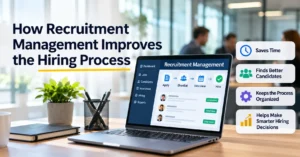
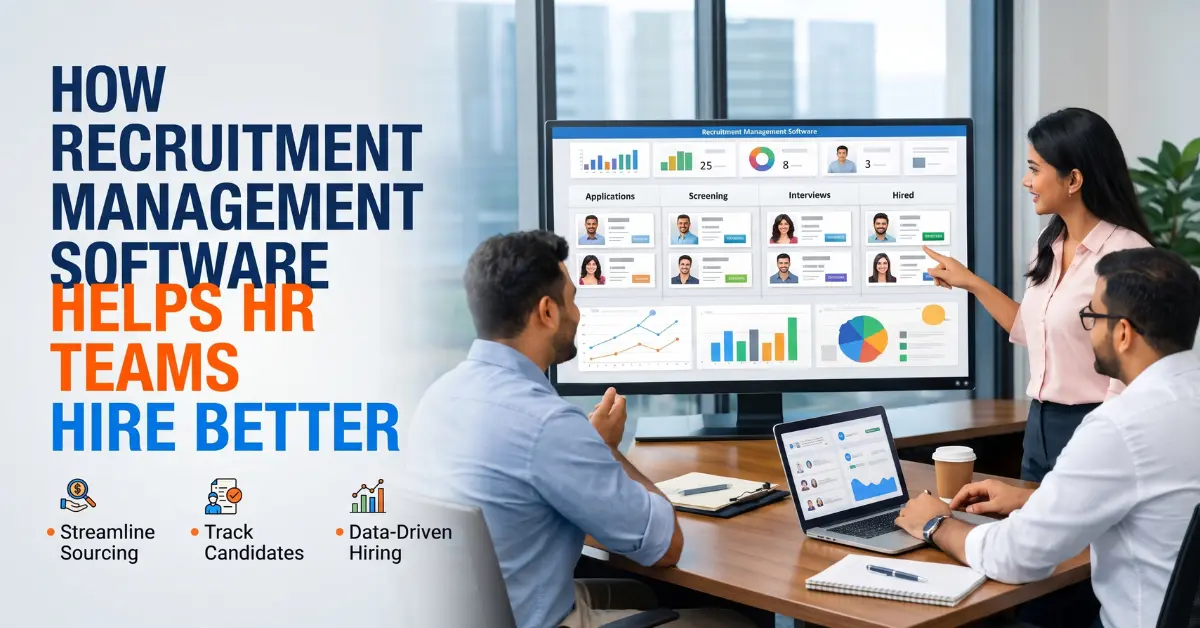
Think of it as home base for hiring. You post a job, collect applications, sort through resumes, book interviews, send offers, and look at your numbers. One tool, not five.
You’ll see the term applicant tracking system, or ATS, a lot. That’s the part that follows each candidate from application to decision. A full recruitment system does that and adds scheduling, candidate emails, offers, and reports. Plenty of people just call the whole package HR recruitment software.
Why spreadsheets stop working
I’m not against spreadsheets. They’re free, and everyone knows how to use them. If you hire two people a year, they’re fine.
Then the company grows. Resumes land in five different inboxes. Candidates wait days for a reply. After an interview, nobody remembers who said what. And when your boss asks, “How long does hiring actually take us?”, you shrug.
That shrug is the real problem. If you can’t measure your hiring, you can’t improve it.
Where it actually helps
Screening. Say 200 people apply for an accountant job. Reading all of them could swallow your week. Resume parsing software does the first pass. It pulls out names, skills, and experience and builds a profile you can search. Need three years of experience and a specific degree? Filter for it. You still make the call. The tool just clears the pile.
Interviews. You know the dance. “Are you free Tuesday?” “Not really, Thursday?” “Thursday’s bad, what about Friday?” It goes on and on. Interview scheduling software ends it. The candidate picks a time, calendars update, reminders go out. Fewer delays mean a shorter time to hire, and that matters, because good candidates don’t wait around for long.
Teamwork. Every candidate gets one profile with the resume, notes, scores, and status. If a recruiter goes on leave, nobody has to dig through her inbox. Hiring managers leave feedback in the same place, and everyone scores the same way. That makes decisions fairer and easier to explain later.
Candidate experience. Most people hate being ignored. Automatic emails confirm the application and share updates and interview details. Even the people you don’t hire remember how you treated them. That counts for more than most teams think.
Numbers. Good tools show time to hire, cost per hire, and which sources send the best people. Maybe one job board gives you great applicants and another gives you none. Now you know where to spend your money. Your records stay tidy as well, which helps when someone asks you to prove you followed HR policies or labor laws.
Want to see it with your own jobs?
Every company hires a bit differently. Connect HRMS can show you how recruitment software fits your process, from job post to offer letter. Call or WhatsApp +92 300 1110365, or email info@connecthrms.com.
Hiring by hand vs hiring with software
Here’s the difference at a glance.
| Task | By hand | With software |
| Job posting | Done each time | Managed from one dashboard |
| Resume screening | Read and sorted manually | Parsed and filtered automatically |
| Interview scheduling | Long email chains | Automatic booking and reminders |
| Candidate tracking | Spreadsheets and folders | One central dashboard |
| Team feedback | Scattered messages | Collected in one place |
| Hiring insights | Little or none | Time to hire, cost per hire, sources |
People call this recruitment automation. The boring jobs run on their own, and your team handles the human parts. Honestly, that’s the whole point.

What to look for in a tool
Features vary a lot, and the longest list isn’t always the best one. These are the ones I’d care about most.
| Feature | Why you want it |
| Applicant tracking | You always know where each candidate stands |
| Resume parsing | Saves hours of reading |
| Interview scheduling | Cuts delays |
| Candidate emails | Keeps people informed |
| Offer management | Speeds up closing |
| Reports | Shows what to improve |
| Integrations | Connects with your other HR tools |
| Access control | Protects candidate data |
How to pick one
Start with your biggest headache. Is screening too slow? Are follow-ups getting missed? Find the tool that fixes that first. Don’t start from the feature list.
Volume matters too. A company that hires ten people a year needs far less than one hiring hundreds. Ask for a demo, and try it with a real job and real resumes, not the sample data. And let your recruiters test it. If they hate it, they won’t use it, and then you’ve paid for nothing.
If you’re after recruitment software in Pakistan, ask about local support and whether it suits how your team hires. Connect HRMS can walk you through the options if you aren’t sure where to begin.
Mistakes teams make
Buying something too complicated is the classic one. Skipping training is next, so half the team ignores the tool. Some import messy data and then blame the software for bad results. Others never open the reports. And choosing only on price? That usually backfires.
FAQs
What is recruitment management software?
It’s a tool that runs hiring in one place. It covers job posting, tracking applicants, screening resumes, scheduling interviews, offers, and reports.
What’s the difference between an ATS and recruitment management software?
An ATS mainly tracks candidates. Recruitment management software usually does that and adds scheduling, emails, offers, and analytics.
How does recruitment software help HR teams hire better?
It saves time on admin, keeps candidate data together, speeds up interviews, and shows what’s working. That leaves more time to talk to candidates.
Can it reduce time to hire?
Yes. Automatic screening and scheduling remove a lot of the waiting, so roles get filled faster.
Is it useful for small companies?
Yes. Small teams have less time for admin, so they often gain the most.
Will it replace HR staff?
No. It handles repetitive tasks. People still make the decisions and build the relationships.
What features should I look for?
Applicant tracking, resume parsing, interview scheduling, candidate emails, offer management, reports, and links to your other HR tools.
Conclusion
Recruitment management software helps HR teams hire better. It saves time, keeps candidates organized, speeds up interviews, and shows what’s working. It won’t replace your people. It just gives them room to do what they’re good at.
Start with your biggest hiring headache, pick a tool that fits it, and test it with your team.
Ready to hire smarter? Contact Connect HRMS on WhatsApp at +92 300 1110365 or email info@connecthrms.com, and we’ll help you find the right fit.