Ask a business owner how many laptops, vehicles, or machines they own, and you’ll usually get a pause. Then a guess. Then “let me check with accounts.”
That pause is exactly what asset management fixes. It’s how a company manages its resources, making sure they are used efficiently and getting the most out of them. Those assets include manufacturing equipment, delivery trucks, office hardware and software licenses. This manual will cover the concept of asset management, its processes, importance and tips for improvement, whether you are already a user of Connect HRMS or are just exploring your options.
What is asset management in business?
It’s tracking, maintaining, and getting the best use out of your resources for as long as they’re useful. That’s it. The rest is detail.
What are you really after? You want to stop paying for things you don’t need. You want your equipment to perform. You don’t want things going missing or getting damaged. And you want to make decisions with actual information instead of a hunch.
A quick note, because the term confuses people. Business asset management isn’t investment management, where a firm looks after financial investments for clients. Here we mean the things a company owns and uses to run day to day.
What are the main types of business assets?
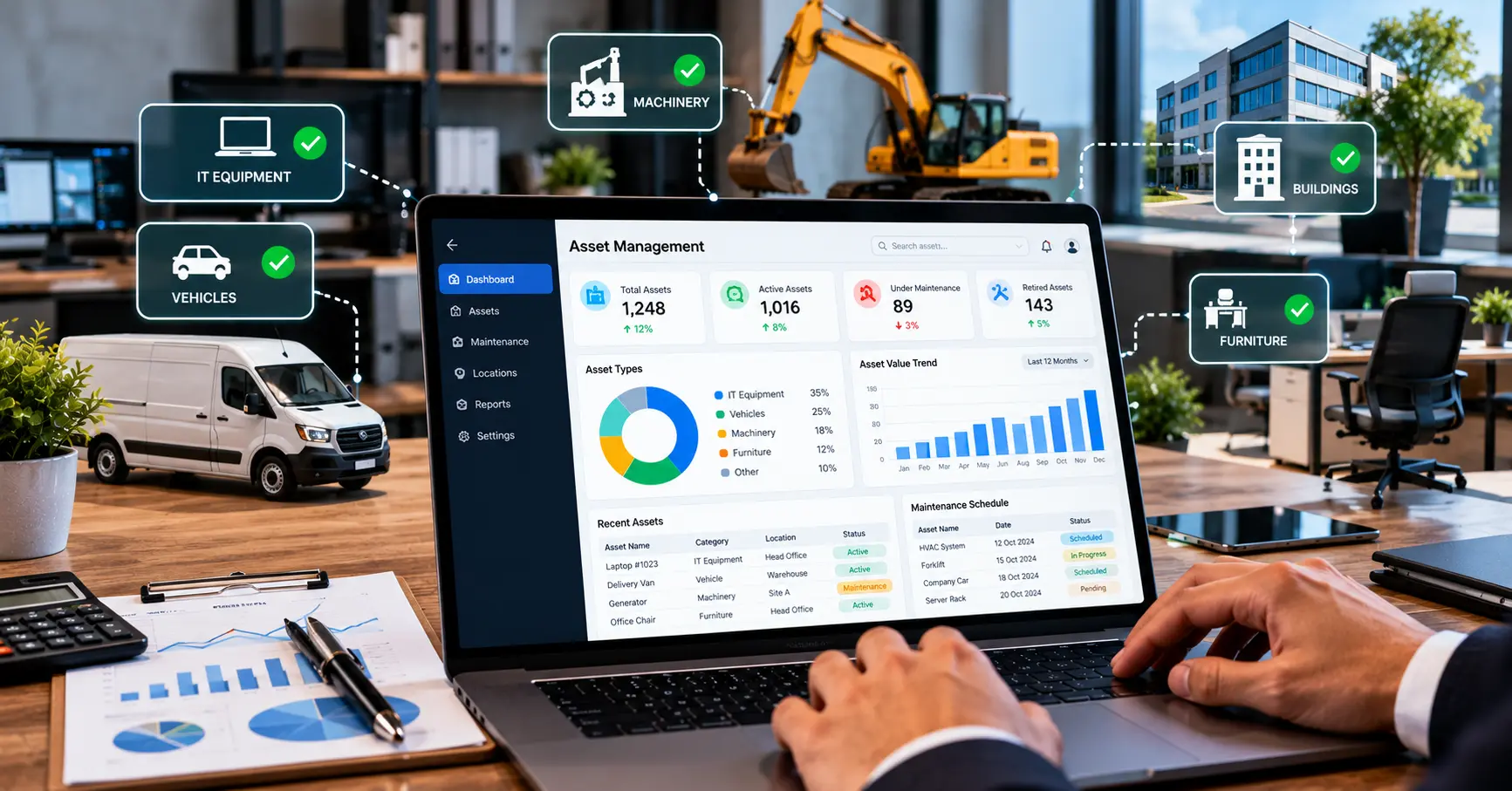
Most businesses have three kinds, and each one needs a slightly different eye.
1. Physical assets
Machinery, vehicles, computers, furniture, equipment. Anything you can touch. For these, you want to know where each one is, what shape it’s in, and when someone last serviced it. A generator that hasn’t been checked in two years will pick the worst possible moment to fail.
2. Digital assets
Software licenses, databases, files, and business records. Different worries here. Who has access to what? Are the licenses current? Can anyone actually find the file when they need it? Paying for a design tool that nobody opens is a very common leak.
3. Financial assets
Cash, investments, and money owed to you. They keep the business liquid and able to pay its bills. Financial asset management and operational asset management are cousins, not twins. Don’t mix them up.
How does the asset management process work?
Every asset goes through an asset lifecycle, from the day you decide to buy it to the day it leaves. Good management follows it the whole way.
1. Planning and acquisition
Before you buy anything, work out what the business actually needs. Compare costs and options, and check the expected value against your budget. And don’t stop at the price tag. The total cost of ownership includes running it, servicing it, and replacing it later, and that number can be far bigger than what you paid.
2. Recording and deployment
Once it’s yours, put it in a central asset register. Write down the serial number, the purchase date, where it lives, and who’s using it. Then make sure the right people can get to that information. This is the step that ends the “let me check” pause for good.
3. Operation and maintenance
Now you keep an eye on it. Watch the condition and how much it’s used. Schedule preventive maintenance so small problems get fixed before they become breakdowns, and write down every repair and what it cost. Good asset maintenance records are gold later, because they show you which machines are quietly draining money.
4. Retirement and disposal
Eventually an asset gets old, or it costs too much to keep going. Then you repair it, replace it, sell it, or let it go responsibly. Proper asset disposal matters, especially for IT equipment that holds data. Your records make the call easier. The asset depreciation numbers and the repair history show you when holding on stops making sense.
Look after assets across the whole lifecycle, and decisions about cost, maintenance, and replacement get a lot less stressful.

Why is asset management important for businesses?
It pays off in a few ways:
- You catch unnecessary purchases and avoidable costs.
- Regular maintenance helps equipment last longer.
- Planned servicing cuts down on sudden stoppages.
- You can track equipment and control who gets into digital resources, so security improves.
- Records help you plan maintenance and replacements.
- Reports for internal reviews and relevant compliance requirements are easier to produce.
All that adds up to better productivity and fewer unpleasant surprises. Over time, you’ll also see a better return on investment (ROI), because you stop spending on things that aren’t earning their keep.
Asset management vs. asset tracking
People use these two terms as if they mean the same thing. They don’t.
| Feature | Asset management | Asset tracking |
| Main purpose | Manage assets throughout their lifecycle | Identify asset location and movement |
| Scope | Costs, maintenance, usage, and replacement | Location, assignment, and status |
| Maintenance | Can include maintenance planning | Usually focuses on tracking information |
| Financial planning | Can support budgeting and replacement decisions | Provides information that may support those decisions |
| Overall role | Broader management process | One part of asset management |
Here’s the simple version. An asset tracking system tells you what you own and where it is. Asset management takes that information and uses it for the bigger decisions about maintenance, cost, and replacement. Tracking is one piece of the puzzle.
How can asset management software help?
Most businesses start with spreadsheets, and for a while that works fine. Then the files multiply, the versions clash, and somebody ends up working from an old copy. Asset management software swaps that mess for organized records in one place.
Here’s what you’ll typically find:
- Central asset records
- Location and assignment tracking
- Maintenance scheduling
- Purchase and warranty records
- Asset utilization reports
- Replacement planning and cost reporting
What you get depends on the software. So pick one based on the kinds of assets you hold, how many locations you run, what reporting you need, and what you can spend.
You’ll also bump into a few acronyms. Enterprise Asset Management (EAM) usually covers physical assets and maintenance. IT Asset Management (ITAM) covers hardware and software. And Digital Asset Management (DAM) is a different thing again, since it usually means organizing media files like images and videos.
Want to see how this could work for your business? Call Connect HRMS on +971 457 13703 or +92 300 1110365, or email info@connecthrms.com for a walkthrough.
How can a business improve its asset management?
You don’t need a big project to start. Here’s a simple checklist, and it works for a small business as much as a large one.
- Make a complete list of everything you own.
- Give each asset an owner.
- Keep the records up to date.
- Schedule maintenance where it’s needed.
- Review how assets are used, and what they cost, regularly.
- Plan replacements before an asset becomes unreliable.
- Bring in suitable software once your records and processes get complicated.
If you want a benchmark for good practice, look at ISO 55000. It’s part of a family of international standards from the International Organization for Standardization (ISO), and it lays out the principles and terminology for asset management. You don’t need to be certified to learn from it.
FAQs
What is asset management in business?
It’s how a company tracks, maintains, and gets the most out of what it owns, from the day an asset is bought until it’s retired.
What are the main types of business assets?
Physical assets such as machinery and vehicles, digital assets such as software licenses and files, and financial assets such as cash and receivables.
Why is asset management important for businesses?
It controls costs, makes equipment last longer, cuts downtime, and helps you decide better decisions. It also keeps your records ready for reviews and compliance.
What are the four stages of asset lifecycle management?
Planning and acquisition, recording and deployment, operation and maintenance, and retirement and disposal.
How does asset management software work?
It stores all your asset records in one system. Your team uses it to track location, schedule maintenance, keep warranty details, and run reports.
What is the difference between asset management and asset tracking?
Tracking tells you what you have and where it is. Asset management goes further, covering maintenance, costs, usage, and replacement across an asset’s whole life.
How can businesses reduce costs through asset management?
Skip unnecessary purchases, service equipment on time, use what you own more fully, and replace assets at the right moment, not after they fail.
What are the benefits of asset management software?
Organized records, easier tracking, maintenance reminders, and clearer reports on cost and usage. How much you gain depends on the software and how well your team uses it.
Conclusion
Asset management really comes down to three things. To sum up, know what belongs to you. Take care of it. And know how to best fix or replace it. It’s all about budget protection, avoiding unpleasant surprises, and creating reliable records.
You don’t need to fix everything at once. Make a comprehensive list of assets, assign owners and update your records. If the data in your spreadsheet can no longer be trusted, there are software solutions you can use.
Ready to take the next step? Contact Connect HRMS on +971 457 13703, +92 300 1110365, or info@connecthrms.com, and we’ll help you get your assets under control.