
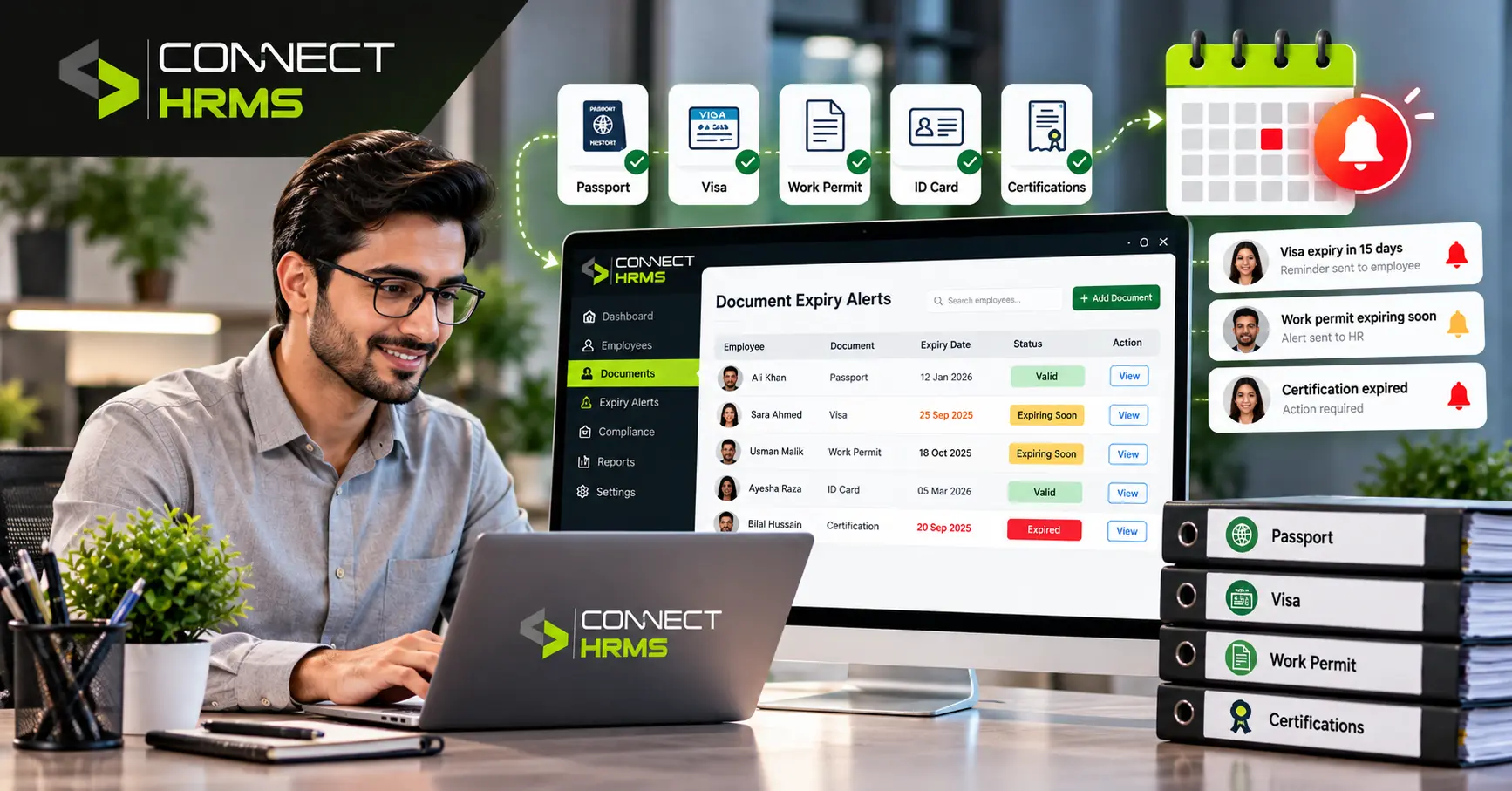
HRMS document expiry tracking Anyone who’s run HR without proper software knows this exact feeling. One person casually remarks that a permit for work has expired three weeks ago, and suddenly, what seemed like a normal renewal has become a non-compliance issue. In a company with fifty or a hundred workers, this is not an issue of whether this will happen but a matter of when.
That’s the gap an HRMS is actually built to close. Good HR management systems connect all employee documents to the employee’s record and raise reminders long before any expiry dates. HR staff don’t have to remember or rely on Post-it notes or an old spreadsheet to remind them.
What Is Employee Document Expiry Tracking?
Employee document expiry tracking is, at its core, the process of keeping an eye on when an employee’s official documents run out and making sure they get renewed before that happens.
This list is much longer than what many people think. All passports, work permits, driver’s licenses, safety certifications, professional credentials, and other similar documentation have expiration dates attached to them, and each one of them can become an issue once they expire and nobody notices that. A driver’s license cannot expire for anyone to be driving a company vehicle. A work permit expires and becomes illegal right away upon expiration, not when somebody discovers that.
HR really needs to watch both sides of this. The document expiration dates tell you when something stops being valid. The renewal dates tell you when it can actually be fixed. Missing either one causes its own headache.
How Does an HRMS Track Employee Document Expiry Dates?
Once it’s set up properly, the process is a lot simpler than people assume.
1. Store Employee Documents Centrally
Every document lands in a centralized employee database, attached to the correct employee profile. No digging through shared drives, no asking three different people who has the latest copy.
2. Add Expiration and Renewal Dates
Each document gets its own expiration date, and where it applies, a renewal eligibility date too. These live in dedicated credential fields, so the system always knows what’s coming due and roughly when.
3. Set Automated Reminders
This is where the time savings come into play. Automated alerts get generated well before the expiration date of the document, providing the necessary time for HR and the individual to fix the issue before it becomes a problem.
4. Update Renewed Documents
Once something gets renewed, the new version goes in, but the old one doesn’t just disappear. It stays part of the employee records as document history, which turns out to matter a lot when an audit rolls around.
Key Features of HRMS Document Expiry Tracking
Not every system handles this well, honestly. The ones worth paying for tend to have:
- Centralized employee records so nothing lives in three different places
- Custom document fields that adapt to whatever your industry needs tracked
- Automated expiry alerts that actually land in the right inbox
- Role-based access, because not everyone needs to see a passport scan
- Document history that’s searchable instead of buried in an old email thread
- Audit readiness that’s just there, rather than pulled together in a panic the week before an inspection
Which Employee Documents Can an HRMS Track?
Basically anything with an expiration date qualifies, though the usual suspects are:
- Passports
- Work permits
- Driver’s licenses
- Safety certificates
- Professional certifications
- Other credentials specific to your industry
If it has a stamped date on it that is significant, then it is definitely something that should be placed in the system and not in a drawer of someone’s desk.
Expiration Date vs Renewal Date: What’s the Difference?
People mix these up constantly, and the distinction is worth getting right.
| Date | Meaning |
| Expiration date | When the current document becomes invalid |
| Renewal date/eligibility | When the document can or should be renewed |
The expiry of a document does not automatically mean it will be renewed immediately. The document may even be renewed before its expiry date. There is much more to the process than just indicating the expiry date. HR ends up reacting after the fact instead of planning around it, which is more or less the exact situation automated tracking exists to prevent.
Manual Tracking vs HRMS Document Tracking
Here’s the honest comparison, not the marketing version.
| Feature | Manual Tracking | HRMS |
| Employee records | Spreadsheets/files | Centralized profiles |
| Expiry monitoring | Manual | Automated |
| Reminders | Manual emails | System alerts |
| Document history | Difficult to maintain | Stored digitally |
| Access control | Limited | Role-based |
| Audit preparation | Time-consuming | Easier |
Manual tracking holds up fine for a handful of employees. Past that, something eventually slips, and it’s usually not for lack of trying. Even basic tools like Staff Squared or QuickHCM still leave a lot of the chasing to HR manually, which defeats half the point of using software in the first place.
Curious what this would look like for your own team? Connect HRMS can walk you through it directly at info@connecthrms.com or 0300 111 0365.
How Automated Alerts Help HR Teams
The real value of automated HR document expiry alerts comes down to a handful of practical outcomes:
- Fewer missed deadlines, since nothing hinges on someone remembering
- HR gets a warning instead of a last-minute scramble
- Employees get notified directly, so it’s not solely on HR to chase them down
- Document compliance improves across the whole team, not just the files someone happened to double-check
- Repetitive admin work drops noticeably, which frees HR up for work that actually needs a human

How HRMS Improves Employee Document Compliance
Compliance isn’t something you handle once and forget about. It’s ongoing, and that’s exactly where an employee document tracking system earns its keep.
- Centralized records mean nothing’s scattered across five different tools
- Timely renewal reminders keep documents valid without HR checking manually every week
- Controlled access protects sensitive files like passports and permits from prying eyes
- Historical records make it easy to prove what was valid, and when
- Compliance checks that used to eat up a whole day often take minutes instead
What Should You Look for in an HRMS Document Management System?
If you’re shopping around for HRMS document management software, here’s a practical list to run through before signing anything:
- Expiry-date tracking built directly into employee profiles
- Custom document categories that match your industry’s needs
- Automated notifications that reach both HR and employees, not just one
- Employee self-service so that staff can upload their own renewed documents
- Role-based permissions for anything sensitive
- Full document history, not just whatever’s current
- Search and reporting tools that make audits less painful
- Secure digital storage that genuinely protects the data, not just claims to
Frequently Asked Questions
What are the benefits of using an HRMS?
It centralizes employee records, automates repetitive tasks like document tracking, cuts down compliance risk, and saves HR teams real hours every month.
What is the purpose of an HRMS system?
To manage the full employee lifecycle in one place, records, documents, attendance, and compliance, instead of spreading everything across spreadsheets and email chains.
How does an HRMS track employee documents?
It stores each document against the employee’s profile, logs expiration and renewal dates, and sends automated alerts before anything lapses.
How can HR track document expiration dates?
By using an HRMS with dedicated credential fields for each document type, so every date gets logged and monitored automatically instead of by hand.
What employee documents should HR track?
Passports, work permits, driver’s licenses, safety certificates, and any professional certifications tied to the employee’s role.
How can HR automate document expiry reminders?
By setting alerts in the HRMS to trigger a set number of days before expiration, notifying both HR and the employee automatically.
Can an HRMS send alerts before employee documents expire?
Yes, that’s one of the core features most systems offer, and the notice period is usually configurable to whatever HR needs.
How does HRMS improve employee compliance and record management?
By keeping records centralized, access controlled, and renewals automated, compliance stops being something HR has to chase and becomes part of how the system just works.
Final Takeaway
Manually tracking employee document expiry dates works fine, right up until it doesn’t. And by the time it fails, you’re usually looking at a compliance issue rather than a simple reminder someone forgot to send. An HRMS takes that risk off HR’s plate entirely by tying every document to an employee profile and sending automated alerts well before anything expires.
If your team’s still tracking passports, work permits, and safety certificates through spreadsheets, it’s probably worth a second look at how much time that’s actually costing you. Connect HRMS can show you what automated document tracking would look like for your organization. Reach out at info@connecthrms.com or call 0300 111 0365.