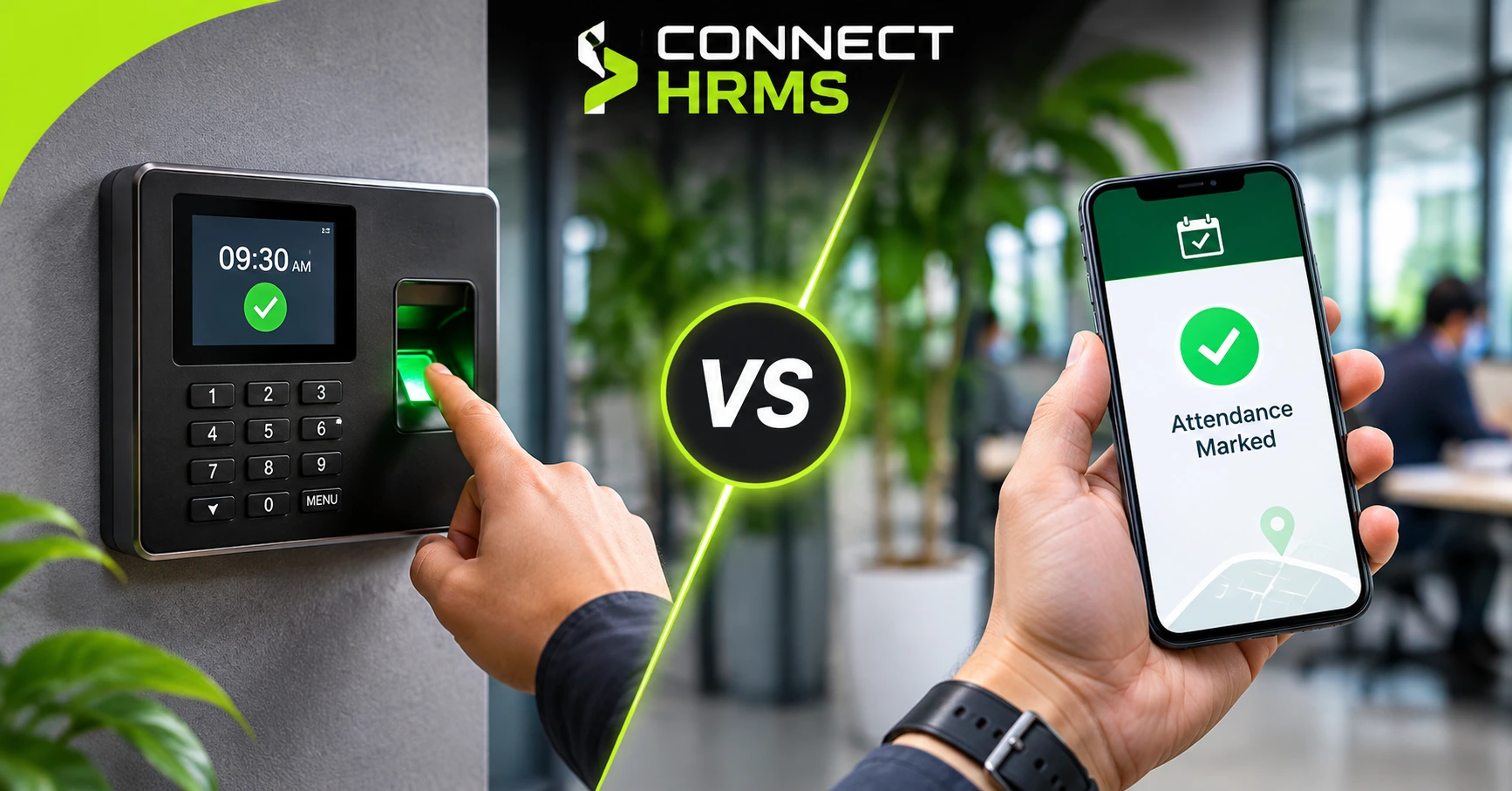
Every business needs to know who showed up and when. That sounds simple. But how you record it can change your payroll, your staff trust and your daily stress. Today, two options lead the way. One is the fingerprint or face machine on the wall. The other is an app on the phone. So, Biometric vs Mobile Attendance: which one should you pick?
The honest answer is that it depends on how your team works. A factory in Karachi and a sales team in Dubai have very different needs. In this blog, we compare both options in plain words. You will see how each one works, the good and bad sides, what drives the cost, and who should use what. At Connect HRMS, we help companies in the UAE and Pakistan set up attendance every day, so we know what works and what does not.
What Is Biometric vs Mobile Attendance?
A biometric attendance system checks who you are by your body. That means a fingerprint, a face scan or sometimes a palm. The device sits at the office or factory gate. Staff touch it or look at it when they arrive and leave.
The device sends the time to your attendance management software. From there, it feeds shifts, overtime and payroll.
What Is Mobile Attendance?
A mobile attendance app lets staff mark their time from a phone. They open the app and tap check in. The app records the time and the place using GPS attendance tracking.
Many apps also use geofencing. This means staff can only check in inside an allowed area, like an office or a site. Some add a selfie or face recognition attendance to prove it is really the employee.
Biometric Attendance Pros and Cons
Pros
- It stops buddy punching. One person cannot easily clock in for a friend.
- It works well for big sites like factories, warehouses and schools.
- Staff do not need a smartphone.
- Records are clear, which helps in payroll checks and disputes.
- It is quick once the line moves.
Cons
- You must buy, install and repair the machines.
- Lines build up at shift start.
- It does not help remote, field or travelling staff.
- It needs power and a network. In Pakistan, load shedding can stop a device if there is no backup.
- Dust, oil and wet hands can make fingerprints fail.
- Biometric data is sensitive. You must store it safely and get consent.
Mobile Attendance Pros and Cons
Pros
- There is no hardware to buy.
- It suits remote employees, sales teams and field workers.
- Location data shows where staff checked in.
- Selfie checks add proof.
- It is easy to roll out across many branches.
- Managers see employee attendance tracking live on a dashboard.
Cons
- Staff need a phone, battery and mobile data.
- Fake GPS apps can trick weak systems.
- If the app has no face check, staff can share a phone.
- Some employees feel uneasy about location tracking.
- Signal can be poor in basements and remote sites.
Side by Side Comparison
| Feature | Biometric Attendance | Mobile Attendance |
| Setup | Devices and installation | App download |
| Upfront cost | Higher | Lower |
| Fraud risk | Low | Low to medium, depends on face check |
| Remote staff | Not suitable | Very suitable |
| Needs internet | Often yes, some work offline | Yes, or sync later |
| Staff privacy | Biometric data worry | Location data worry |
| Maintenance | Repairs and cleaning | App updates only |
| Best for | Fixed sites with large teams | Mobile and spread out teams |
What Affects the Cost?
Prices change a lot between providers. So instead of one number, look at what you will pay for.
| Cost Item | Biometric | Mobile |
| Devices | Yes, per door or gate | None |
| Installation | Yes | No |
| Software fee | Yes | Yes, usually per user |
| Repairs and backup power | Yes | No |
| Staff phones and data | No | Staff use their own or company phones |
A tip: ask for a written quote that lists every item. Hidden extras are common with hardware.
Not sure which one fits your team? Connect HRMS can show you both options in a short demo. Call +971 457 13703 (UAE) or +92 300 1110365 (Pakistan). You can also email info@connecthrms.com.
Which One Fits Your Business?
| Business Type | Better Fit | Why |
| Factory or warehouse | Biometric | Fixed site, many workers, fewer smartphones |
| School or clinic | Biometric | Set gates and fixed timings |
| Sales or field team | Mobile | Staff are always moving |
| Office in Dubai or Lahore | Either | Depends on size and hybrid work |
| Retail with many branches | Both | Devices in big stores, app for small ones |
| Startup or remote team | Mobile | No office door to put a device on |
Can You Use Both?
Yes, and many companies do. Your head office can use a biometric device. Your field team can use the app. All the data lands in one place, so payroll stays simple.
This also helps in the UAE during Ramadan, when private sector work hours are shorter. A good system lets you change shift rules without starting over.
Things to Check Before You Choose
- Payroll link. Does attendance flow straight into salary?
- Local rules. Accurate time records help with labour rule checks in both countries.
- Consent. Even where data laws are still catching up, ask staff before you collect fingerprints or faces.
- Backup plan. What happens during a power cut or poor signal?
- Support. Who fixes problems, and how fast?
- Staff comfort. Explain what you track and why. Trust matters.
FAQs
Which is more accurate?
Biometric is hard to fake. Mobile can be just as strong if it uses face checks and blocks fake GPS.
Is mobile attendance easy to cheat?
Basic apps can be. Pick one with selfie or face checks and fake location detection.
Is biometric attendance allowed in the UAE and Pakistan?
Companies use it widely. Get written consent and store data safely. For legal advice, speak to a local expert.
Which one costs less?
Mobile usually costs less at the start, since there are no devices to buy.
Conclusion
There is no single winner. Biometric attendance is great for fixed sites with large teams. Mobile attendance is better for remote, field and fast-growing teams. If your business has both, use both. Start by looking at how your people work each day, then pick the tool that fits. Do not choose by price alone. Think about fraud, privacy and daily effort too. If you want a clear plan, talk to Connect HRMS. Call +971 457 13703 or +92 300 1110365, or email info@connecthrms.com.