
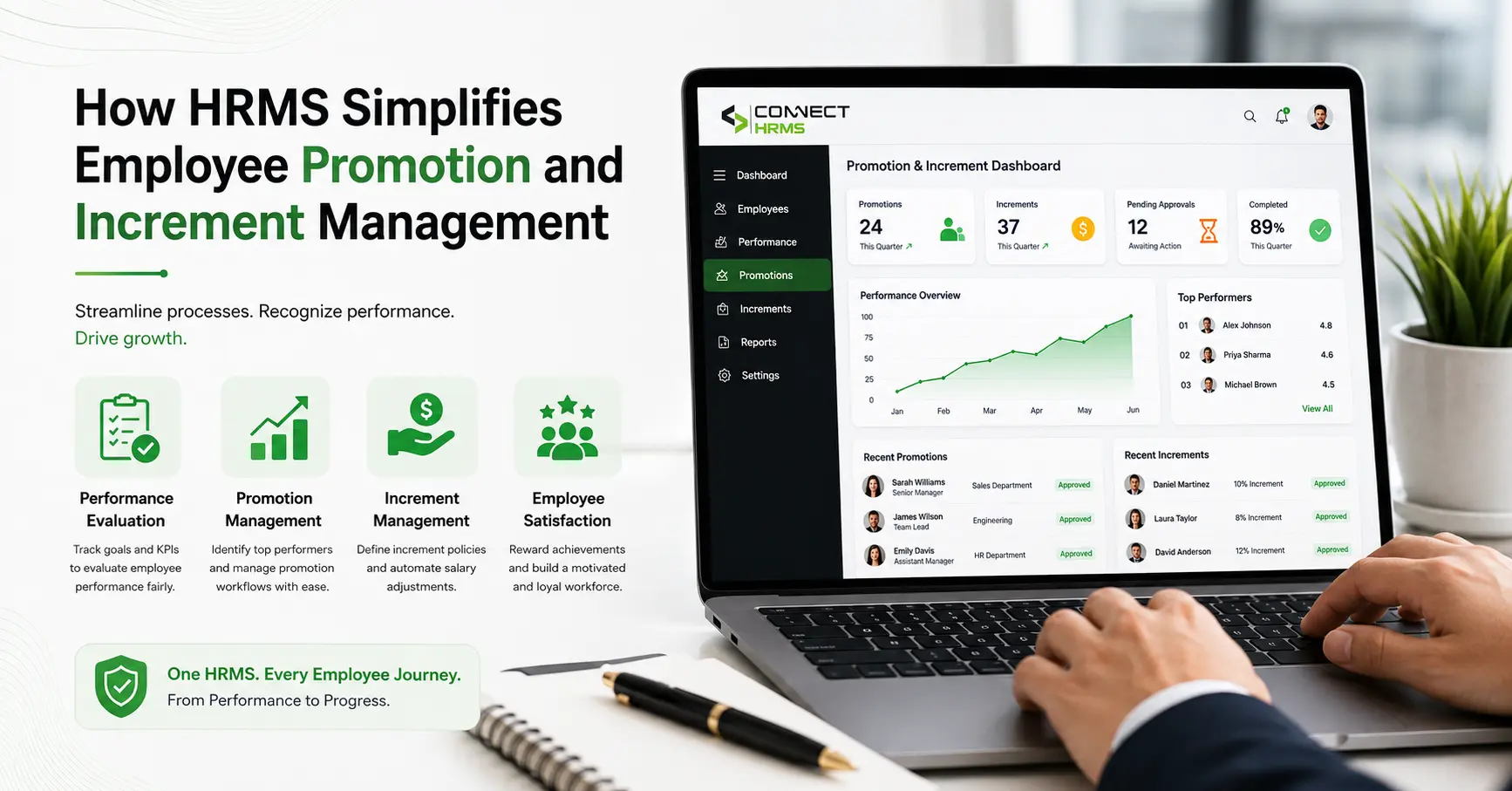
Every HR manager knows how chaotic appraisal season can get. You are juggling twenty different spreadsheets, sorting through messy email threads, and trying to remember which department head recommended a raise for which team member.
When you manage annual reviews by hand, simple things take weeks. Papers sit on busy managers’ desks waiting for signatures, pay raise math gets typed into accounting sheets with errors, and staff members constantly ask when their new salary will actually show up in their bank accounts.
This is why moving to modern HRMS software makes such a difference. A solid platform for HRMS performance management connects your review notes, management sign-offs, and monthly payroll into one smooth setup. Instead of guessing or copying numbers across multiple files, you link employee performance directly to compensation updates, making every single employee promotion and salary increment fast, clean, and fair. Let us look at how an integrated system handles appraisals without the usual headaches.
How HRMS Manages Employee Promotion and Increments
An automated Human Resource Management System turns a slow, manual chore into a clear, reliable workflow:
- Look at Real Progress: Managers check recorded KPI tracking and actual goal milestones saved throughout the whole year.
- Send in the Recommendation: Team leads propose title updates or pay increases based on set company salary brackets.
- Route Through Approvals: The platform passes the request to the right directors based on department budgets.
- Sync Straight to Payroll: As soon as leadership approves, the system updates the live payment files on its own.
- Notify the Employee: The worker gets an updated letter right inside their personal portal showing their new title and pay breakdown.
5 Ways HRMS Simplifies Promotion and Increment Management
1. Keeps All Performance Notes in One Place
Deciding who gets promoted should come down to genuine hard work, not just who did something nice last week. When reviews rely on memory, managers often forget what someone accomplished eight months ago.
An HRMS keeps an ongoing employee master record that stores project milestones, manager feedback, and performance records across the entire year. Having this complete performance history right in front of you makes it easy to make objective, fair choices.
2. Speeds Up Approval Chains
Pursuing busy directors through the hallway for their signature or sending out three additional emails delays the process. A built-in compensation workflow handles the follow-ups for you.
- Multi-Level Approvals: The document is moved automatically from approval by the manager to approval by HR and then executive approval.
- Built-in Rules: You can create rules that will speed up the process for standard increases, while extraordinary increases will require additional executive approval.
- Instant Notifications: Approvers get immediate notifications on their mobile devices and desktops. Requests are not left ignored in an overflowing inbox.
3. Ties Raises Straight into Monthly Payroll
One of the most frustrating parts of manual HR is copying approved raises into finance spreadsheets. If someone types a number wrong, the employee gets an incorrect paycheck.
Using direct payroll integration with HRMS updates the salary grade and basic pay structure the second a promotion gets approved. The software does the heavy math automatically:
- Calculates exact pro-rata salary calculation amounts if a raise starts in the middle of a month.
- Recalculates statutory deductions like income tax and provident fund payments without manual formulas.
- Stops duplicate data entry between your HR team and payroll accountants.
Tired of Spreadsheet Clutter Every Review Season?
Make your appraisals quick, accurate, and completely transparent for your entire team. Connect HRMS links your performance reviews, multi-level sign-offs, and monthly payroll into one clean interface.
Get in touch with the local Connect HRMS team today at +92 300 1110365 or email info@connecthrms.com to see how it works in real time!
4. Gives Your Staff Clear Visibility
Nothing hurts team morale quite like a secretive, confusing promotion process. When people know exactly what targets they need to hit for a bump in pay, they stay motivated.
Through their own employee self-service screen, team members can check their active goals, read past review notes, and see their updated compensation management details. Clear communication builds long-term trust across the office.
5. Leaves a Clean Trail for Every Single Change
Keeping a clear history of pay adjustments protects the company and keeps your records audit-ready.
The system builds automatic audit trails whenever someone modifies salary details. It logs:
- The old pay figure alongside the new approved amount.
- Exact dates and times for every sign-off step.
- Names and personal comments from each reviewing manager.
- The original performance appraisal scores that justified the raise.
Manual Reviews vs. An Integrated HRMS Setup
| Daily Task | Old-School Manual Way | With an HRMS System |
| Storing Notes | Loose files and scattered spreadsheets | One clean employee master record |
| Tracking Progress | End-of-year guesswork and memory | Continuous, documented KPI tracking |
| Getting Sign-Offs | Lost emails and waiting on paper forms | Clean, automated approval workflow |
| Updating Pay | Re-typing numbers by hand into payroll | Seamless payroll integration with HRMS |
| Record Keeping | Hard to find old notes and letters | Permanent, time-stamped audit trail |
| Pay Math | High chance of tax or calculation slips | Exact pro-rata salary calculation |
Things to Put in Place Before Automating
Before switching on your automated compensation management, you might want to spend some time putting in place a couple of rules:
- Establish Realistic Targets: Ensure that there are clear, achievable targets for each job position.
- Create Pay Grade Levels: Set up the different salary grade levels for all positions.
- Outline Sign-Off Process: It is important to plan and decide who will sign off on small increases and promotions.
- Limit Permission Access: Make it impossible for anyone else besides authorized managers and HR leaders to view your salary information.
Before turning on automated compensation management, take a moment to set a few ground rules:
- Set Clear Benchmarks: Make sure job roles have realistic, measurable targets so staff know what is expected of them.
- Define Your Pay Bands: Establish clear salary grade levels for every position to keep pay fair across departments.
- Map Out Sign-Off Steps: Decide early on which managers need to approve small annual raises versus major role promotions.
- Control Access Permissions: Lock down sensitive salary details so only designated managers and HR leads can see them.
Final Thoughts
Running appraisals on loose spreadsheets leads to slow approvals, calculation slip-ups, and stressed-out teams.
Setting up a dedicated Human Resource Management System changes the entire experience. By keeping performance notes organized, sending requests through automated approval chains, and syncing new numbers straight to payroll, you save your staff hours of tedious work and create a fair, reliable review process.
Ready to take the stress out of your next appraisal cycle? Reach out to Connect HRMS today by calling +92 300 1110365 or emailing info@connecthrms.com to get your team set up for success!
FAQs
How does HRMS help in employee promotion?
An HRMS keeps track of performance notes throughout the year, routes promotion requests to managers automatically, and updates the person’s job title, permissions, and salary across company records once approved.
How does HRMS manage salary increments?
Managers submit suggested raises through the portal. The system checks the amount against company pay grades, sends it to the right leaders for approval, and updates payroll automatically.
How does HRMS improve performance appraisal?
It replaces end-of-year guesswork with continuous goal tracking and logged manager feedback, making reviews fair, objective, and backed by real records.
What is the role of HRMS in payroll management?
An HRMS connects daily attendance, approved leaves, performance bonuses, and new pay raises directly to monthly pay runs, cutting out manual typing mistakes.
How does HRMS automate promotion approvals?
When a manager recommends a raise, the system sends an instant alert to the next decision-maker in line. Once signed off, it updates all employee records on its own.
How does HRMS reduce errors in salary calculations?
It handles tax deductions, provident fund percentages, and mid-month pro-rata earnings through automated formulas the moment a new pay rate gets approved.
What is the difference between a promotion and a salary increment?
A promotion means stepping up into a higher job role with bigger responsibilities and a new title. A salary increment is a pay increase within an employee’s existing job title.
How does HRMS track employee performance?
It records completed projects, daily attendance trends, monthly goal updates, and periodic review scores inside each staff member’s central profile.