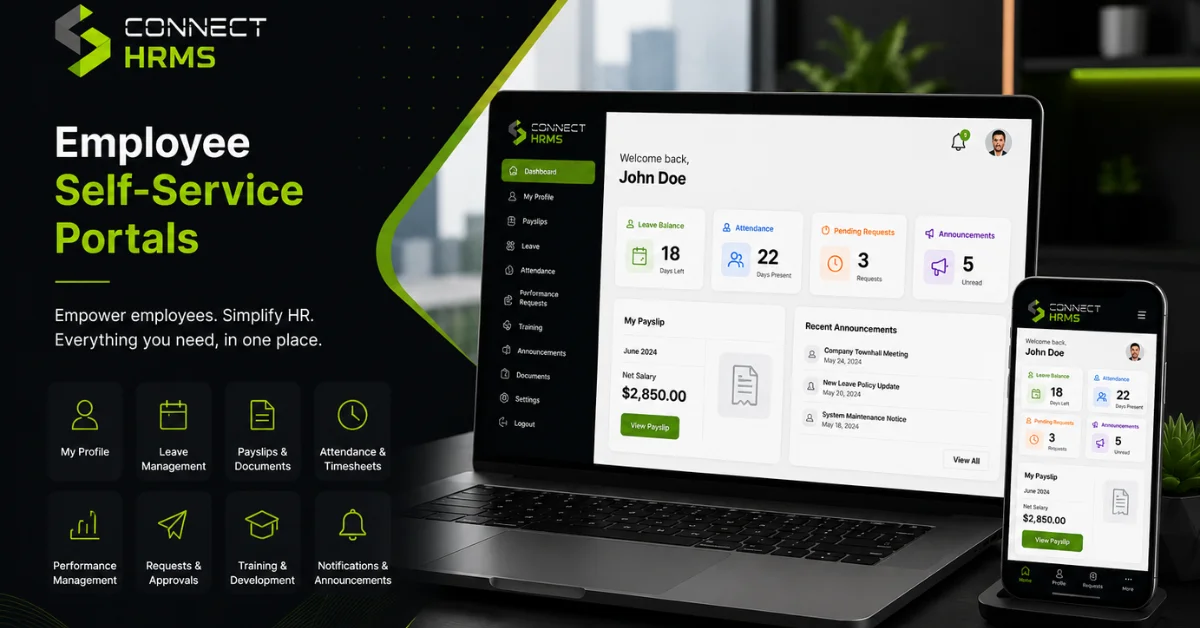
Imagine yourself on a Monday morning sitting in a busy office where your HR manager starts working on strategy for the performance reviews, but then finds out that the inbox is full of small tasks. Three employees require copies of their last paycheck slip, two others wonder about how many days of leave time they have left, and one other employee does not remember how to change his or her address.
If everything needs a person to perform even the smallest updates, the process takes much more time. This is the reason why so many developing companies choose an employee self-service portal, which allows your HR staff not to be intermediaries in such paperwork, providing your employees with an opportunity to do all the changes themselves. It will save time and make your HRMS more efficient.
What Is an Employee Self-Service (ESS) Portal?
Understanding Employee Self-Service Portals
The essence of an employee self-service portal is a website where the staff access the data about their work online. Want to know how many vacation days you have left, fill in a tax form, or update the details about your bank account to get paid by direct deposit? Log into the system and deal with that in a matter of seconds.
Within the framework of a Human Capital Management (HCM) solution, this component is placed between the employees and managers of an organization. While the former can view their own profile, the latter utilizes Manager Self-Service functionality to process time-off requests, schedule shifts, and approve weekly timesheets in a paperless way.
How Requests Move Step-by-Step:
Employee submits request online ──> Manager approves on their phone ──> System updates automatically
Why Businesses Need Self-Service Tools Right Now
There have been a lot of changes in work habits in recent years. With a workforce that can be divided between office, home, and field environments, it is unrealistic to ask employees to come into an office to hand in physical forms.
The use of cloud-based HR software is one way of moving towards having a modern digital workplace. Allowing people to have more say in their own lives will help build trust, which in turn will maintain a high level of morale.
The Real Cost of Sticking to Manual HR
When you rely on older paper forms or loose email chains to run your office, small problems stack up quickly:
- Piles of Routine Paperwork: HR staff spend hours every week typing information from paper sheets into spreadsheets.
- Long Delays for Simple Answers: Employees end up waiting days just to get a simple confirmation on a day-off request.
- Mistakes in Payrolls: Writing down numbers manually from paper time sheets will always result in mistakes in payrolls.
- Staff Clarity Issues: Employees get neglected when they cannot verify if their information has been received by any means easily.
- Emailing Privacy and Security Breaches: Sending confidential information such as addresses, account numbers, etc.
Main Benefits of Giving Employees Direct Portal Access
1. Gives People Real Control Over Their Information
Nobody likes asking for permission just to check their remaining vacation time. Giving staff direct access to manage their personal information cuts down unnecessary questions and builds everyday trust across your team.
2. Takes the Heavy Admin Burden Off HR
Automating basic request workflows means your HR department stops working like data-entry clerks. Requests flow directly to the right manager, sign-offs happen in seconds, and records update on their own without endless filing cabinets.
3. Improves Everyday Employee Experience (EX)
Outside of work, everyone is used to ordering food or paying bills on their phones in seconds. Bringing that same smooth experience to work makes a great impression. When managing work administrative tasks is quick and painless, job satisfaction improves naturally.
Want to Simplify Your Daily HR Work?
Give your team a quick, easy way to manage their records. Connect HRMS brings leave tracking, attendance records, and payroll information into one clean platform.
Reach out to the local team from Connect HRMS via phone call or email—dial 0300 1110365 or send an email to info@connecthrms.com for a brief demo!
4. Saves Time to Work on Key Tasks
Once you stop receiving those everyday emails in the HR inbox, your employees will be able to concentrate on tasks that matter to business growth. Your team will have time to develop strategies regarding hiring processes, retention of employees, and analysis of workforce productivity metrics.
5. Keeps Your Records Accurate
Data entry mistakes happen whenever one person has to copy down what someone else wrote on paper. With a self-service setup, employees type in their own banking details, contact numbers, and address changes. Since the owner of the information enters it directly, your master database stays clean.
6. Keeps Hybrid and Field Teams Connected
Regardless of whether one is sitting behind a desk, working in a warehouse, or working from home, cloud computing ensures that everyone remains in step. Employees in the field can record their hours, check shift schedules, or view news at their companies using their mobile phones.
7. Makes Internal Announcements Much Clearer
Relying on physical notice boards or mass email blasts means important news gets missed. An ESS portal acts as a central hub where leadership can post company updates, policy changes, and safety guidelines with clear read receipts.
How Internal News Gets Delivered:
[Post update in portal] ──> [Employees get instant alert] ──> [System tracks who read it]
8. Protects Sensitive Data and Simplifies Audits
Handling employee data requires strict care. The presence of MFA and SSO prevents access by outsiders to your personal data. The role-based permission system ensures that managers will have access to information about their employees only, whereas digital documentation helps you comply with local labor laws in full
9. Your Employees Prepared On the First Day
A positive first impression can make a difference for any position. Digital onboarding allows new hires to complete necessary procedures, such as signing documents and policies, even before they start working for you. Thus, when they arrive at the office, they can start working immediately.
Important Features Every Modern Portal Needs
| Feature Area | What It Does | How It Helps Your Business |
| Profile Edits | Let’s update workers’ phone numbers, addresses, and emergency contacts. | Keeps records accurate without HR manual entry |
| Time Off & Attendance | Tracks clock-ins, leave balances, and time-off requests | Prevents pay disputes and scheduling confusion |
| Pay Slips & Tax Forms | Gives instant access to monthly pay stubs and annual tax records | Stops constant phone calls to the finance desk |
| Reviews & Growth | Tracks goals, past evaluations, and training sessions | Keeps career growth conversations organized |
| Company Directory | Helps staff find contact details for colleagues across teams | Improves cross-departmental communication |
How Self-Service Connects with the Rest of Your Business
An effective portal does not sit by itself in a silo. Through flexible API integrations, it links directly into your wider business tools:
- Payroll Management: Pulls approved attendance and leave days directly into pay runs so nobody gets paid late or incorrectly.
- Performance Management: Lets staff view their targets, track progress, and complete self-appraisals during review seasons.
- Learning Systems (LMS): Gives employees a way to sign up for training courses and view earned credentials.
- Workforce Analytics: Feeds real attendance and time-off trends into business intelligence reports so managers make better hiring decisions.
Comparing Old-School HR with Modern Self-Service
- Old-School Manual Approach:
o Paper leave slips that easily get lost under desk clutter
o Physical pay slips printed out and handed around by hand
o Hours copied manually from sign-in sheets into spreadsheets
o Confidential files stored in locked filing cabinets taking up office space
- Modern Self-Service Portal Setup:
o Digital time-off requests processed in seconds on a screen
o Instant 24/7 access to digital pay stubs from phones or PCs
o Attendance tracking tied straight into monthly payroll processing
o Centralized cloud storage secured by role-based access rules
Practical Steps for a Smooth Rollout
- Keep the Design Simple: If the interface feels confusing, people will avoid using it. Choose a portal that is clean and straightforward.
- Make Sure Mobile Works Great: Check that the platform runs smoothly on mobile phones so staff out in the field can use it easily.
- Offer Quick Guidance: Show managers and employees how to log in, submit requests, and update details through a brief walkthrough session.
- Keep Track of Usage: Watch portal activity to see which features get used most, and offer extra help to teams that seem stuck.
What Is Next for HR Technology?
HR software keeps getting smarter. Here is what companies are adopting next:
- Helpful AI Assistants: Instant chat tools that answer common questions about company policy or holiday dates right away.
- Smart Analytics: Features that notice when teams are taking unusual overtime, helping managers prevent burnout.
- Personalized Homepages: Customized screens showing each worker their specific goals, open tasks, and suggested training courses.
Conclusion
Your company’s use of old-fashioned and boring HR policies is simply adding more stress to the admin department of your company and your employees because of their frustration at being unable to get information easily.
With the implementation of an employee self-service portal, you will be providing your employees with the freedom they seek while letting the HR department concentrate on other tasks. In this way, you will have an efficient workplace.
Interested in streamlining HR policies and helping your managers every day? Get in touch with us at Connect HRMS today by emailing us at info@connecthrms.com or calling us on 0300 1110365!
FAQs
What is an employee self-service portal?
It is an encrypted web-based platform or application where employees can access their employee profile, payroll slips, request vacation, and make changes to their data without having to send emails to HR.
How can a self-service portal assist HR staff?
It allows getting rid of redundant tasks such as payroll slip printing and manual updates of contact info, enabling HR specialists to do more hiring and training.
Does the use of a self-service portal increase the comfort of workers?
Yes. Now, workers have all their necessary data at their fingertips with just a couple of clicks.
Is it safe for employees’ data to be saved in a self-service portal?
Yes, since nowadays portals are equipped with such safety mechanisms as data encryption, multi-factor authentication, and individual user authorization.
Is there a possibility for small companies to benefit from self-service portals?
Of course. In small organizations, administrative processes will be handled much faster, and their data will be more structured than ever before.
What benefit can an ESS portal provide for remote or mobile staff members?
Since the portal works online, it allows off-site staff members to access the schedule, make vacation requests, and look at corporate news.
What is the main distinction between an HRMS and an ESS portal?
HRMS is the full backend system that HR uses to manage the entire company, whereas the ESS portal is just a frontend tool that employees use.